HTML3 Softwares Crackerz: Download Manager
Showing posts with label Download Manager. Show all posts

06 October 2011

Internet Download Manager Optimizer


For fast downloads, fast and stable internet connection is required. But not only that, many factors that cause a download process goes quickly or slowly. One cause quickly or slowly the download process discussed here is download manager software.

Download hobbyist usually prefer to use Internet Download Manager (IDM). Internet Download Manager is a paid download manager software. In my opinion, using a good download manager software will save the download time. In addition, you can stop the download and resume it later if that feature is supported by the server.

And now many common people in the world who have been using Internet Download Manager. But only some of those who know how to configure to produce the optimal download speed.

One more small tools that may be very useful for your users Internet Download Manager. This time I am going to share the small tools that can maximize the performance of IDM without having the person who tinkers registry. With this tool, which is split in maksimalin connectionnya connectionnya be 16 and so the maximum speed. The way it works is as follows.

This program will create a new file in the directory that contains the name of the IDM Optimizer.exe IDMMax.inf that contains the script to go into the registry, trus-tweaking ngutak in HKCU / software / download manager for performance maksimalin IDM

In the registry, this script changes the value of Advanced Integration --> 1, ConnectionSpeed --> 999999, Connection Type --> 11, MaxConnectionsNumber-->16

Whereas if you find IDMDef.inf file, then script it contains to restore settings to the initial conditions IDM

To apply the changes, then the required restart IDM.


Download Procedure
==============
Download the file fromthe link provided below

Follow the instruction given a the ReadMe file


Password : softwarescrackerz

02 October 2011

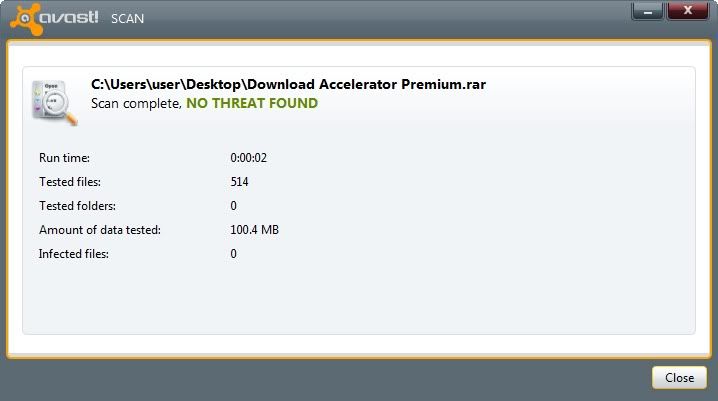
Download Accelerator Premium 9.7


Systems Requirement
================
Windows 7 Vista XP NT 2000 2003 Server Me 98


What is Download Acceleration Premium?
==============================
DAP is powered by patented multi-channel technology and automated mirror search, and has been recognized for delivering significantly faster download speeds


Features
=======
-Premium Acceleration
Unleash the full power of DAP! Download files with Extreme Acceleration, downloading with up to ten connections at once. DAP Premium provides the fastest possible download speeds.


-Premium Privacy Tools
Keep your privacy with DAP Premium. Shred files beyond recovery with DAP's File Shredder and remove download traces with Trace Cleaner for confidential downloading. Lock and hide your files with Private Downloads to keep them protected.


-Premium Download Experience
DAP Premium gives you powerful download tools. Use ZIP Preview to view and extract ZIP files as you download; Password Manager stores your download passwords to keep things simple.


-Premium Support
With DAP Premium you will receive priority Gold Support so you will always have the help you need. You will also receive one year of SpeedBit Upgrade Coverage so you will always have the most up to date version of DAP.


-Premium File Transfer=
Use Advanced FTP tools for more powerful FTP downloading. Access two or more FTP sites simultaneously; browse FTP sites and view remote files even without downloading them.


Downloading Procedure
=================

Download file from the link given below

Follow the instruction from the ReadMe file provided.


You can get a more detailed installation procedure through the Installation Video below.

Installation Video
============

30 May 2011

Duckload Premium Generator


Insert the link to the downloader and click on "OK"


It will generate its premium link.


Copy the link to Internet Download Manager or you can open the link with browser and start download!


Credit to Enerdude@l33ts

Download it here

Enjoy!!

15 May 2011

SciLor's Grooveshark™ Downloader


What is Grooveshark Downloader?
========================

SciLor's grooveshark™.com Downloader is a tool for downloading and playing music from Grooveshark™.com.
It offers several languages (such as: catalan, french, german, germanbavarian, portuguese, spanish, swedish, turkish, italian, danish, hungarian).
Also nice is the proxy feature.


Download Procedure
===============


Install, unzip and run. For more information visit their officail site.


Credit and Link
==========


www.scilor.com/ SciLor's grooveshark(tm).com Downloader
www.scilor.com/grooveshark-downloader.html

Donation:
=======

http://www.scilor.com/donate.html


Password : softwarescrackerz

29 April 2011

ShareCash Downloader 2011 version 2 by bbtech1999


Another Sharecash Downloader released by bbtech1999. All credit goes to him.
To get download link for this tool, please visit this video for more information.
100% Working.

23 April 2011

ShareCash Downloader v1


What is ShareCash?
================

ShareCash is a revolutionary, next-generation upload site, where you get paid CASH for every download you get! We offer the highest payouts per download, as well as a set of great tools, tutorials, and support to get you earning in no time. Simply register, upload files, and let the cash start rolling in!


Features
========


Highest download rates around. For larger countries such as the US, UK, Canada, and Australia, you'll receive an average of 60 cents per download. You will earn the most with us, guaranteed, not only because of our high rates, but because our downloads are easiest to unlock, therefore making you the most money.
Easy surveys. Even more important than our high rates is the fact that our surveys are easier to unlock than any other PPD website's, which means more people can download and you earn more money!
We are the pioneers of the high paying upload site concept. Therefore you can be sure you are with the most sophisticated and professional PPD site around!
Unmatched System - Our system is elegantly coded to incorporate all the features you need, while at the same time making it as easy as possible for you to earn money!
Affiliate System - refer users and get 10% of what they earn!
Premium Memberships - downloaders can buy a premium membership with us. If they buy one after visiting your file, you get 30% of the price!
Simple sign up - Start earning in less than 30 seconds!
Affiliate messaging system - you can now talk to and train your affiliate army to make you even more cash!
Low cashout limit - get your money after earning only $10 !
Accepts any file type!
Super secure - your details, files, and earnings are safe with us!
International downloads - get paid for any country!
Flexible, on time payments!
Easy-to-use folder-based uploads manager!
Friendly, 24/7 Online Community on our Forum, Live Chat, TeamSpeak, and Ventrillo!
High-tech FTP, Direct, and Remote Uploader!
Payouts are constantly on the rise
We have a dedicated team of administrators and programmers who constantly release new features and optimizations!


Download
=========

Due to some issue I decided not to made the link public. If you want the link please visit my youtube channel and PM me. Thanks.

ShareCash Downloader bypass the survey and let you download their file as premium user.
Just download the file and follow the instuction given via the ReadMe file.
100% Working tested by myself!!!
Enjoy!!

Watch Tutorial


Credit to flamingw0rm
Password : softwarescrackerz

25 March 2011

MFRipper v3.0 Latest


System Requirement
================

Window OS
Microsoft .NET Framework


What is MFRipper?
===============

MFRipper is a .NET application that rips a list of MediaFire links and returns the direct links to the files. 


It essentially gives you MediaFire Pro access without paying for it, but it takes some time to process links. However, rest assured that it is exponentially faster than clicking through all the links yourself. 


Features
========


It allows you to download MediaFire links en masse using your favorite 
download manager, such as IDM or FlashGet. 
For example, after MFRipper has finished a list of links, you can copy them 
and use IDM's Batch Download From Clipboard function. 


Entering Links
Only 1 link per line, or 1 MediaFire Folder link. 
MFRip will rip the folder for you. 


Download Procedure
=================

Download the fies from the link given below


Unzipped it and launch the application and you are ready to go!!
Enjoy!

Note
====


This tool is created by xer0syk0. All creadit goes to him.
He give me the right to help distribute this tool to this/the site to help promote his tool.
I posted this for the purpose of the convenience of our user which most of our download link are uploaded via Mediafire.

Visit the official site  for more info on it.

Click here for Virus Total scan report.
Credit goes to xer0syk0


Password : softwarescrackerz

22 March 2011

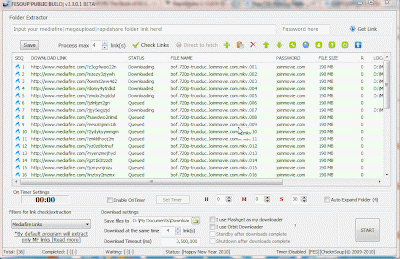
Mediafire Auto Downloader Fesoup v3.6.0.6


System Requirement
================

Window 2000, XP, Vista, 7


What is Fesoup Downloader?
=====================

This download manager automatically fetches the direct links from mediafire and then uses Internet Download Manager to download files.
Fesoup Downloader is a small utility to extract mediafire down load links from a mediafire folder link.


Feature
======

Generate mediafire direct link and send to IDM, Flashget and other download manager
Supports clipboard link-grab. Currently MFFE can extract links of these below


Rapidshare Links
Megaupload Links
Mediafire Links
Hotfile Links
Uploading Links
Ware.vn Links


Image link-grab from clipboard.
Current support image includes

BMP
JPG|JPEG
PNG
FLV


Download Preocedure
================

Download the file from the link given below


Follow the instruction from the ReadMe text provided on how to use this downloader.
Enjoy!!


Password : softwarescrackerz

21 March 2011

Limewire Pirate Edition


System Requirement
===============

Windows (95, 98, NT, ME, 2000, XP, Vista)
Mac OS X (10.4 Tiger, 10.5 Leopard)
Linux (Ubuntu, Debian)
Other systems (OS / 2, Solaris, Linux)


What is Limewire Pirated Edition?
========================

LimeWire Pirate Edition is free, open source software based on the final beta version of the popular LimeWire filesharing application. After Lime Wire LLC stopped distributing its software in October 2010, a horde of piratical monkeys climbed aboard the abandoned ship, mended its sails, polished its cannons and released it FREE to the community to help keep the Gnutella network alive.

LimeWire Pirate Edition is pure P2P software; it does not depend on any servers operated by Lime Wire LLC or other companies. It does not include any adware or spyware, and it cannot be remotely monitored or shut down.


Feature
=======

Based on LimeWire 5.6 beta
Turbo-charged downloads
Optimized search results
AVG Anti-Virus
Built-in torrent search
No toolbars, adware or spyware
No connection problems


Download Pocedure
================

Download the file from the link given below


Follow the instruction provided on the ReadMe file.
Enjoy!!


Password : softwarescrackerz

17 March 2011

Internet Download Manager 6.05 Build 7 (Updated Latest Patch)


System Requirements
================

Windows 7, Windows 2003, Windows Me, Windows 98, Windows 2000, Windows Vista, Windows NT, Windows XP, Windows Server 2008


What Is Internet Download Manager?
===========================

Internet Download Manager is a full-featured package that handles downloading tasks with aplomb. It conveniently integrates into your browser, even if you use Mozilla or Opera.


Features
======

*Multilingual support
*Zip preview
*Download categories
*Built-in download accelerator
*Scheduler pro
*Sounds on events
*HTTPS support
*Queue processor
*Pipelining of ftp commands
*Html help and tutorial
*Enhanced virus protection on download completion
*Progressive downloading with quotas
*Command line parameters


Download Procedures
================

Download the file from the link provided below


Run the installer to install Internet Download Manager.
If you got the previous instaled not working license ( Detected fake ), go 
ahead and remove it with the Unregister registry key.
After that its done, install the license depend on which license. If you are
32-Bit user then use the 32-Bit key and vice-versa.
Now copy the crackerd IDM to your installation directory. 
( Default C:\Program Files\Internet Download Manager)
Now run your IDM and enjoy!!


Password : softwarescrackerz

24 January 2011

Megaupload Direct Linker v1.0


Megaupload Direct Linker v1.0 is available on a new fast direct download service with over 2,210,000 Files to choose from. Download anything with more then 1000+ Kb/s downloading speed.Signup process takes just 10 sec to go.Signup today and enjoy the speed


Download Procedure
==================

Download from the link given below


Run the MegauploadLinker.exe.
Insert any Megaupload link and attach to the Link ID box.
Click on the Get button.
Next, copy the direct link and paste itto a browser or add the link using
Internet Download Manager.
Now enjoy the instant download. =D

Watch Video
=========


Password : softwarescrackerz

10 January 2011

Download Helper Firefox Plug-in Full


System Requirement
==============

Windows 7, Windows 2003, Windows Me, Windows 98, Windows 2000, Windows Vista, Windows NT, Windows XP, Windows Server 2008


What is Download Helper Firefox?
========================


DownloadHelper is a tool for web content extraction. Its purpose is to capture video and image files from many sites.

Just surf the Web as you are used to, when DownloadHelper detects it can do something for you, the icon gets animated and a menu allows you to download files by simply clicking an item

For instance, if you go to a YouTube page, you'll be able to download the video directly on your file system. It also works with MySpace, Google videos, DailyMotion, Porkolt, iFilm, DreamHost and others.

Since version 3.1, you can setup the extension to automatically convert the downloaded movies to your preferred video format.

When you are on a page containing links to images or movies, you can download some or all of them at once. Moving the mouse over the items in the menu will highlights the links directly in the page to make sure they are the ones you want to pick up.

DownloadHelper also allows you to download files one by one, so that you keep bandwidth to surf for other stuff to download.


Downloading Procedure.
=================

Install the Download Helper . (Please note that you must install it using Mozilla Firefox)
Download the file from the link below


Run and install the Convert Helper from the installer provided. (Skip this step if you already has it installed)
After the installation completed, copy the cracked file and paste it to the installation directory ( Refer to the ReadMe file for more info)
Choose to replace and done!!
Enjoy!!

(Please subscribe if you found this helpful   =P)


Password : softwarescrackerz


08 January 2011

Download Studio 6


System Requirement
==============


Windows 7 (64-bit and 32-bit), Windows Vista (64-bit and 32-bit), Windows XP (64-bit and 32-bit) and Windows 2000.

Internet connections such as ADSL, DSL, wireless, cable, fibre optic, ISDN, microwave and dialup.

At least 50MB hard disk space to install DownloadStudio.

16 bit color or higher and your screen resolution set to 1024x768 or higher.

Microsoft Internet Explorer 6.0 or higher installed on your computer.

DownloadStudio works with the latest versions of all popular web browsers

Internet Explorer 6.0 or higher
Firefox 1.0 or higher
Flock 1.0 or higher
Opera 7.0 or higher
Google Chrome 0.2 or higher
Mozilla 1.0 or higher
Netscape 7.0 or higher
Internet Explorer-based browsers including Maxthon and Avant Browser


What is Download Studio 6?
===================


DownloadStudio is the fastest download manager on the planet. It can download all your files, movies, music, programs, games, flash video, photos, TV shows, documents, RSS feeds, blogs, podcasts, complete web sites, complete FTP sites and much more!

DownloadStudio contains 12 specialized downloading tools to help you download all the files you want. It works with all the latest web browsers, including Internet Explorer, Firefox, Chrome, Opera and Safari. DownloadStudio runs on 32-bit and 64-bit versions of Windows 7, Windows Vista, Windows XP and Windows 2000.


Features
======

File Downloader

DownloadStudio 6.0 is the fastest download manager on the planet! Advanced downloading techniques mean DownloadStudio 6.0 is up to 5 times faster than web browsers and up to 50% faster than other download managers.

Resume broken or failed downloads so you'll never lose a download again.

Easy-to-use Download Wizard guides you through all steps to download files, or use Expert mode for one-click downloading, or use silent downloading for no-click downloading.

Schedule downloads for a later date or time of day.

Supports all popular internet protocols, including HTTP, HTTPS, FTP, MMS, RSS, RDF and ATOM.

Works with all popular file hosting sites - RapidShare, Megaupload, FileFront, YouSendIt, Netload, MediaFire, SendSpace, Easy-Share and more! Premium and non-Premium account downloading fully supported!


Flash Video Downloader
DownloadStudio lets you download all your favorite Flash Video (FLV) from popular sites such as Youtube, Google Video, Yahoo Video, Myspace Video, Dailymotion, Vimeo, Crackle and more. Simply right-click in your web browser and click "Download Video". DownloadStudio will find all the Flash Video and download them for you!

DownloadStudio's Flash Video Downloader is very easy-to-use and will download Flash Video from any web site.


File Range Downloader
DownloadStudio lets you download a range of files so you can quickly and conveniently get a collection of files that you want. Web sites often use file-naming conventions whereby their content is named using a series of numbers or letters. For example, a celebrity photo gallery site may name its ‘Angelina Jolie’ photos as jolie001.jpg, jolie002.jpg, jolie003.jpg … jolie125.jpg. You can see that they are a series of photos numbered from 1 to 125.

Rather than the tedious job of downloading each photo separately, DownloadStudio's File Range Downloader lets you get all these files in one step. Simply enter the URL for one of the photos and specify the file range for the download. DownloadStudio that can download collections of files from photo gallery sites, music sites, video sites and more.


PC Magazine tested and reviewed all leading Internet Download Managers and Download Accelerators and awarded DownloadStudio 1.0 the Editor's Choice for best Internet Download Manager!


Web Site Downloader
DownloadStudio lets you download a complete web site, or to download just certain files that match your criteria from a web site.

Downloading a complete web site allows you to view the web site offline without being connected to the internet. All files for the web site are downloaded and the site is fully functional. This is great for offline browsing, for research purposes and for making regular backups of a web site.

Downloading specific files from a web site is a very convenient way to the files that you want. For example, using DownloadStudio, you can download all the large-sized photos from a photo gallery. Using DownloadStudio, you can:

get all flash video from a web site
get all photos from a web site
get all music from a web site
get all video from a web site
get all documents from a web site
get all programs from a web site
Only DownloadStudio lets you specify the exact criteria to get specific files from a web site.


Post Processing Actions
After you download certain types of files, you always need to do extra tasks to get the file that you want. This can be tedious and time consuming. For example:

After downloading a compressed file (.ZIP, .RAR, etc.), you need to extract the files from it.
After downloading a Flash video (.FLV) file, you want to convert it to a format that you play in your media player (e.g. AVI, M4V, MPEG-2).
After downloading a set of multi-part files (.001, .002, .003, etc.), you need to combine them into one file.
After downloading a movie, you want to add it to Mezzmo for DLNA streaming in your home.
All these tasks are completed automatically in DownloadStudio using Post Processing Actions. Post Processing Actions can be configured by you. You can choose any program on your computer that you want to run - for example WinZip or WinRAR. DownloadStudio knows about many popular applications - such as Mezzmo, WinZip, 7-Zip, and WinRAR. If you have any of these programs installed, then Post Processing Actions will be automatically installed and run when you download a matching file.


Streaming Audio/Video Downloader
Downloading streaming audio and streaming video is a must-have feature when choosing a download manager. Streaming audio and streaming video is not like a typical file on the internet that you can download and save onto your computer. It is streamed to your computer, played in your media player and then discarded.

DownloadStudio can connect to, download and save streaming audio and streaming video directly from Windows streaming media servers - even live broadcasts! This lets you keep your favorite music, movies, video clips and TV shows on your computer and play them without being connected to the internet. Formats include ASF, WMV, WMA, ASX, WVX, WAX and WSX.

Sometimes, web sites refer to streaming meta-files instead of the actual streaming audio or video file. Windows media streaming meta-files have an extension of .WAX, .WVX or .ASX. DownloadStudio can automatically drill into these meta-files and download the actual streaming audio or video for you. DownloadStudio also downloads server-side playlists (WSX).

DownloadStudio can also download internet radio from SHOUTcast servers. Simply enter the URL for the broadcast and DownloadStudio will start downloading it.


RSS Feed, Blog and Podcast Downloader
DownloadStudio lets you subscribe to and download RSS feeds, podcasts and blogs. Most web sites and blogs include RSS feeds for visitors to keep up-to-date. Podcasts are a very popular way to listen to the latest music or watch the latest videos.

Using DownloadStudio, you can view all the content from your favorite feeds, or download all the links within a feed so you can read the content offline without being connected to the internet.

DownloadStudio can download podcasts including all the music files or video files in the podcast. This lets you play them on your computer or transfer them to your portable media player, such as an Apple iPod, Sony PSP or Microsoft Zune.

No other download manager includes RSS feed, blog and podcast downloading features like DownloadStudio.


DownloadStudio Audio/Video Capture
DownloadStudio contains a specialized audio and video recorder application called DownloadStudio Audio/Video Capture. It lets you capture any audio or video as it plays on your computer in your media player or web browser. This lets you save any audio or video from any web site onto your computer.

DownloadStudio Audio/Video can record any audio and video formats - including streaming audio or video from Windows, Real and QuickTime streaming servers.

No other download manager includes specialized streaming audio and video capture features like DownloadStudio.


Complete Web Browser Support
DownloadStudio works with the latest versions of all popular web browsers:

Internet Explorer 6.0 or higher
Firefox 1.0 or higher
Flock 1.0 or higher
Opera 7.0 or higher
Google Chrome 0.2 or higher
Netscape 7.0 or higher
Mozilla 1.0 or higher
Internet Explorer-based browsers, including Maxthon and Avant Browser
DownloadStudio integrates more features into your web browser than any other download manager:

Advanced click monitoring - DownloadStudio catched all your download clicks so you will never have to download the slow way again.
Right-click menus - lets you download links, flash video, images, links, pages and web sites.
Download toolbar - lets you download files and web pages as you browse web sites.
Drag-and-drop - lets you drag-and-drop any web page content to quickly download all the links.
Flash video detection and saving - lets you download Flash video onto your computer.
All features can be turned on/off in your web browser.

DownloadStudio URL Sniffer
DownloadStudio contains a specialized URL sniffing application called DownloadStudio URL Sniffer. Some URLs (or web addresses) can be very difficult to find - especially for streaming audio, streaming video and Flash video playing in your media player or web browser. DownloadStudio has solved this problem with DownloadStudio URL Sniffer.

DownloadStudio URL Sniffer watches your network and internet traffic and finds URLs that pass through this traffic. Once URLs are found, they are listed for you to choose and download using DownloadStudio.

No other download manager includes URL sniffing features.


Site Explorer
DownloadStudio's Site Explorer is like a web browser except that it lists all the images, flash and links on a web page. This is very handy when you are having troubles finding the files that you want to download from a web site or FTP site. Once listed, simply choose the files you want to download and DownloadStudio will use File Downloader to get them.


RSS Feed Reader
Once you have downloaded your favorite RSS feeds, blogs or podcasts using DownloadStudio, you can view them with DownloadStudio's RSS Feed/Podcast Reader. The RSS Feed Reader lets you view all your feeds, check for updates to feeds, subscribe to new feeds and more.

DownloadStudio is the only download manager with an integrated RSS Feed/Podcast Reader.


File Browser, Viewer and Organizer
DownloadStudio contains a fully-featured file browser that displays thumbnails for all the files that you have downloaded. It works just like Windows Explorer - except that it supports over 150 file formats. The Instant Viewer lets you double-click on thumbnails so you can view your files full-sized or view instant slideshows.

Detailed properties drill into your files to tell you more about your files than ever before. It's just like having Irfanview or ACDSee built into your download manager!


Download Procedure
===============

Download the file from the link given below

Download Download Studio 6


Run the installer and install Download Studio 6
After the installation completed, close the program and sure it it not running.
(Close it via the system tray)
Now, run the patch and locate the Download Studio exe (Default C:\Program Files\..)
Now click on crack and it will said that the patch in sucessful.
Enjoy!!


Password : softwarescrackerz
Related Posts Plugin for WordPress, Blogger...